Sia is your virtual HR assistant, designed to streamline your work by answering questions, guiding you through HR tasks and processes, and helping you find information quickly. Instead of searching through manuals or waiting for responses from colleagues, you can get immediate answers by simply asking Sia.
Accessing Sia
You'll find the Sia chatbot in the top right corner of your screen. Click on the chat icon to open the conversation window and start typing your questions.

Sia can also be accessed via Slack and Teams. More information below:
What you can do with Sia
Sia is built to help you with both information retrieval and everyday tasks. Here's what you can accomplish:
- Access information about time-off and absences
- Apply for leave, check your vacation balance or approve leaves
- Edit profile information
- Get information about the organization: Teams, departments, offices
- Get information about colleagues: work email, work phone, title, birthday & more
- Get company analytics: Headcount, gender distribution, average age and tenure & more
- Get answers on competencies (skills & certificates)
- Get overviews of tasks and deadlines for your employees
- Create and update workflows and tasks
- Get answers to company policies available in Handbooks
- Get answers on laws, regulations and industry compliance from the Expert product
- Get answers on NPS and engagement data from our Employee Survey product
Access information about time off and absences
- As an owner or admin you can get an overview of all leaves in your company including the leave type. Example question:
- "Provide me a list of all upcoming leaves in the company for the month of June including leave type, status and dates"
- As a manager you can get an overview of all leaves for your direct reports including the leave type. Example question:
- "Does any of my direct reports have upcoming leaves?"
- As an employee you can get an overview of all colleagues on leave excluding the leave type. Example question:
- "When will Jenny Lind be on leave?"
Note: A specific leave type is only displayed to employees if the checkbox "Company visible" is checked for that leave policy under the time off settings.
Apply for leave, check your vacation balance or approve leaves
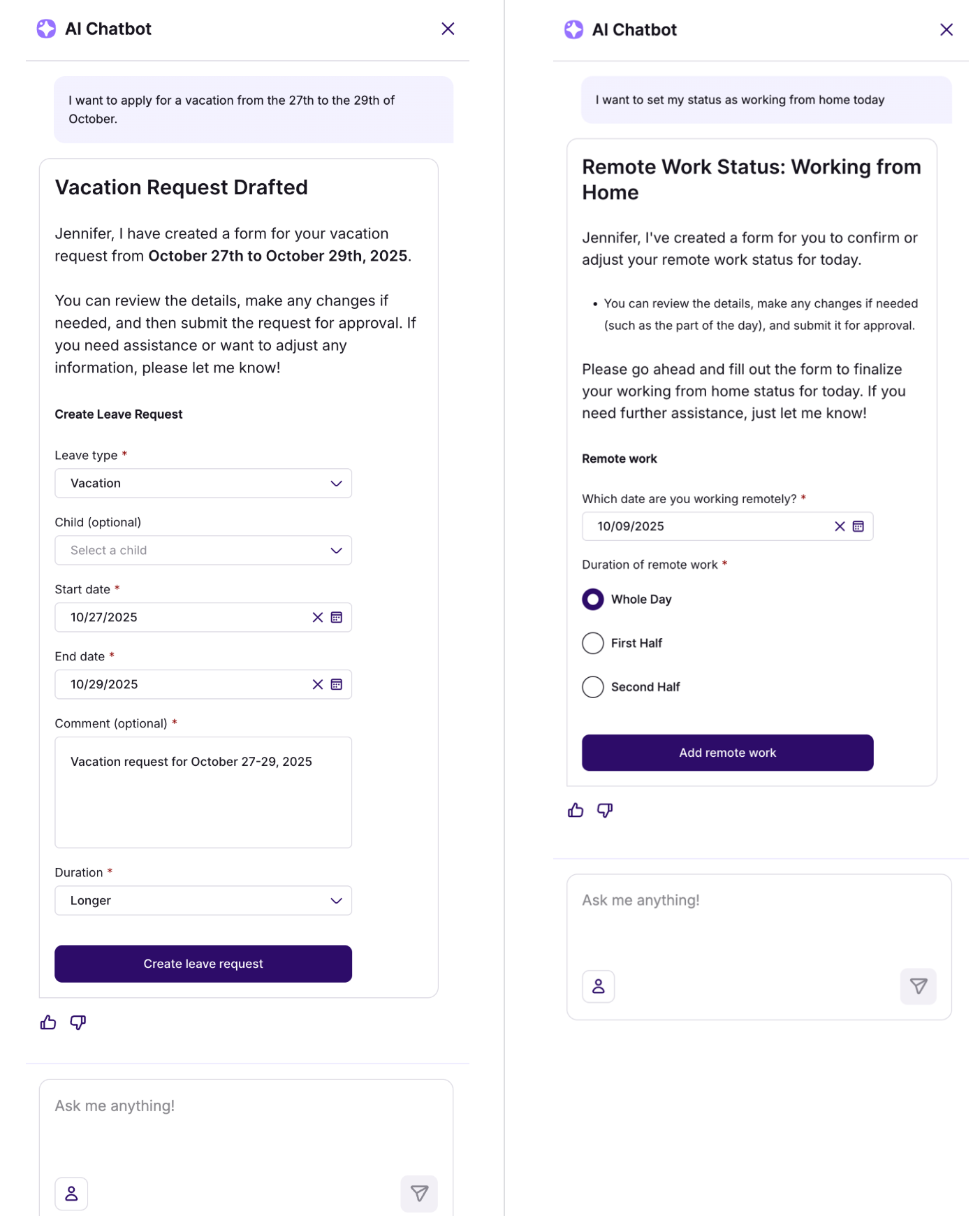
Sia can assist employees with common HR activities such as requesting leave, registering absence, checking your vacation balance and setting your work status.
As a manager, you can also approve leave requests directly in Sia.
Examples:
- "I want to apply for vacation from 27–29 October."
- "I want to set my status as working remotely."
- "Show me my absence overview."
Edit profile information
Every employee can use Sia to update the following data on their profile:
- First name
- Last name
- Nationality
- Birth date
- Address
- Children information
Get company analytics
Owners and admins can use Sia to ask for information about their company's analytics. This data includes:
- Headcount
- Average age
- Average tenure
- Gender distribution
- FTE rate
- Joiners & Leavers
Example questions:
- "What is our current headcount, and what is the breakdown of full-time vs. part-time employees?"
- "Compare the average age of our workforce with the average tenure. Are we an experienced team, a young team, or a mix?"
- "Generate a 'Company Dynamics Report': What's our current headcount, who are the latest joiners and leavers, and what is the average age of the workforce?"
Note: Currently, historical data is not available in Sia so it is not possible to see how these metrics evolved over time. However, we are working on adding this data shortly.
Get answers on competencies (skills & certificates)
As an employee, you can ask Sia to provide an overview of your skills and certificates including proficiency levels and expiration dates.
As an admin/owner you can get competence overviews for all your employees across the entire company.
Get overviews of tasks and deadlines for your employees
The workflow views can get quite cluttered with information, but owners, admins and managers can get summaries of ongoing workflows and tasks in Sia. Owners and admins can see this data across the entire company, while manager can only get overviews for their direct reports.
- Owners/Admins - Are there any ongoing workflows in the company with overdue tasks?
- Owners/Admins - Is any onboarding task overdue by more than 1 week?
- Owners/Admins - Which workflows are scheduled for the upcoming 30 days?
- Owners/Admins - Are there any ongoing workflows for the marketing department?
- Managers - Show me all overdue workflow tasks assigned to my direct reports
- Managers - Does Vilde Olsen have any ongoing workflows?
Employees can also use Sia to stay on top of their tasks and upcoming deadlines. Example questions:
- Show me an overview of my tasks
- Do I have any overdue tasks?
Create and update workflows and tasks
Owners and admins can use Sia to update ongoing workflows and tasks either individually or in bulk. For example, they can ask Sia to edit task assignees, deadline and add/remove tasks. All update actions require a final confirmation from the user before being executed.
Additionally, they can initiate a workflow creation directly in Sia. This will generate a workflow draft that can easily be verified and manually published as a last step.
Find answers to HR and policy questions
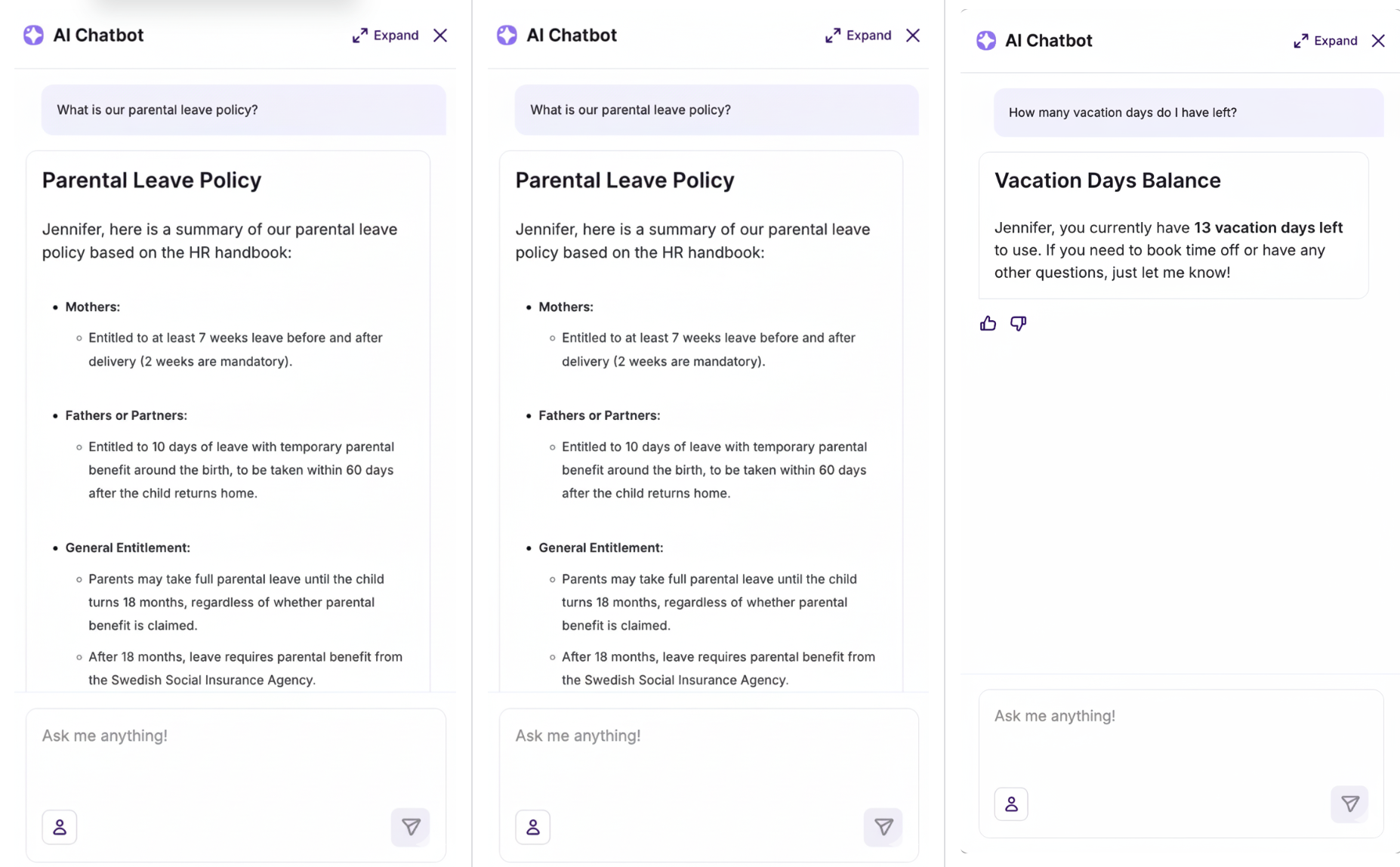
Sia searches through your organization's policies and information in the company handbooks to provide quick answers to HR-related questions.
Examples:
- "What is our parental leave policy?"
- "What does the travel expense policy say about per diem allowances?"
- "How do I report sick leave?"
Leverage Sia’s unique AI comprehension abilities
Sia is built on large language model (LLM) technology with tool calling capabilities, which means you get powerful functionality beyond the basics.
This means Sia can often handle complex, multi-step requests and cross-reference information in ways that weren't explicitly programmed. For example, Sia can analyze patterns across your employment history, compare data points, or synthesize information from multiple sources to answer sophisticated questions.
What this means for you: You may discover that Sia can help with requests you didn't expect it to handle. Try asking—the system is often more capable than you might assume.
Employee examples of what's possible:
- "How long was I in my previous role as 'Senior Developer' compared to my current role so far, and what was the salary difference between the end of the previous role and the start of the new one?"
- "Generate a summary confirming my employment status, current position, employment start date, gross monthly salary, and which office location I belong to."
- "Based on my feedback, what should be my main focus before the next performance review?"
- "Compare the goals and actions from my first performance review at the company with the latest one. How has my focus changed?"
- "Who is in my immediate leadership chain, from my manager upward?"
- "Tell me my story in Simployer, from my start date until today."
- "Create a 'year wheel' for me showing my vacation periods, sick days, and performance reviews for the current year."
- "Give me a 360-degree overview of my current situation: Who is my manager, what is my department, what are my main goals from the last review, and how many vacation days do I have left?"
- "Create a 'Career Snapshot' from my last promotion: What was my new title, who did I report to, and what were the main goals set in my first performance review after the promotion?"
How to Get the Best Results
Be clear and specific
The more specific you are, the better Sia can help. Instead of asking "vacation," try "How many vacation days do I have left this year?" This clarity helps Sia understand exactly what you need.
Know when to ask Sia
Sia works best for HR-related topics. For technical questions or non-HR matters, she may not have reliable answers. Think of Sia as a specialized search tool with guidance rather than a general knowledge assistant.
Know when to escalate
Sia provides information and guidance but doesn't replace human judgment. If you have a sensitive situation or need personalized HR advice, reach out to your HR representative directly. Sia will let you know when a question needs human attention.
What Sia can and cannot do
What Sia can access
- Publicly accessible organizational data such as handbooks, policy documents, and employee information
- Your personal HR data, which is used solely to support the tasks Sia performs for you
What Sia cannot do
- Sia is not a human HR advisor and answers based only on information she has access to
- She may not understand very complex or unusual questions; in those cases, rephrase your question or consult with HR directly
- She cannot access external data sources
- She does not share your data with external AI models or LLMs—your questions and personal information stay within the system
Get the most out of Sia
Sia is designed to save you time on routine tasks, provide quick answers to common questions, and help you focus on what really matters. Whether you're checking your vacation balance, understanding a policy, or exploring what information she can help you find, Sia is here to make your work easier and faster.
Start with a simple question and explore what Sia can do. You may be pleasantly surprised by her capabilities.
Was this article helpful?
That’s Great!
Thank you for your feedback
Sorry! We couldn't be helpful
Thank you for your feedback
Feedback sent
We appreciate your effort and will try to fix the article