How e-signing works in Simployer One – and where to find signed documents
If you are an Owner, Admin, or a Manager with access to the e-signing feature, you can read more about how to set up a signing process here.
Signing a document
When you are asked to sign a document, you will receive a notification by email. Follow the link in the email to review and sign the document.
You can sign:
Directly with your Simployer One account, or
Using BankID (Sweden only), depending on what your employer has chosen for the signing process.
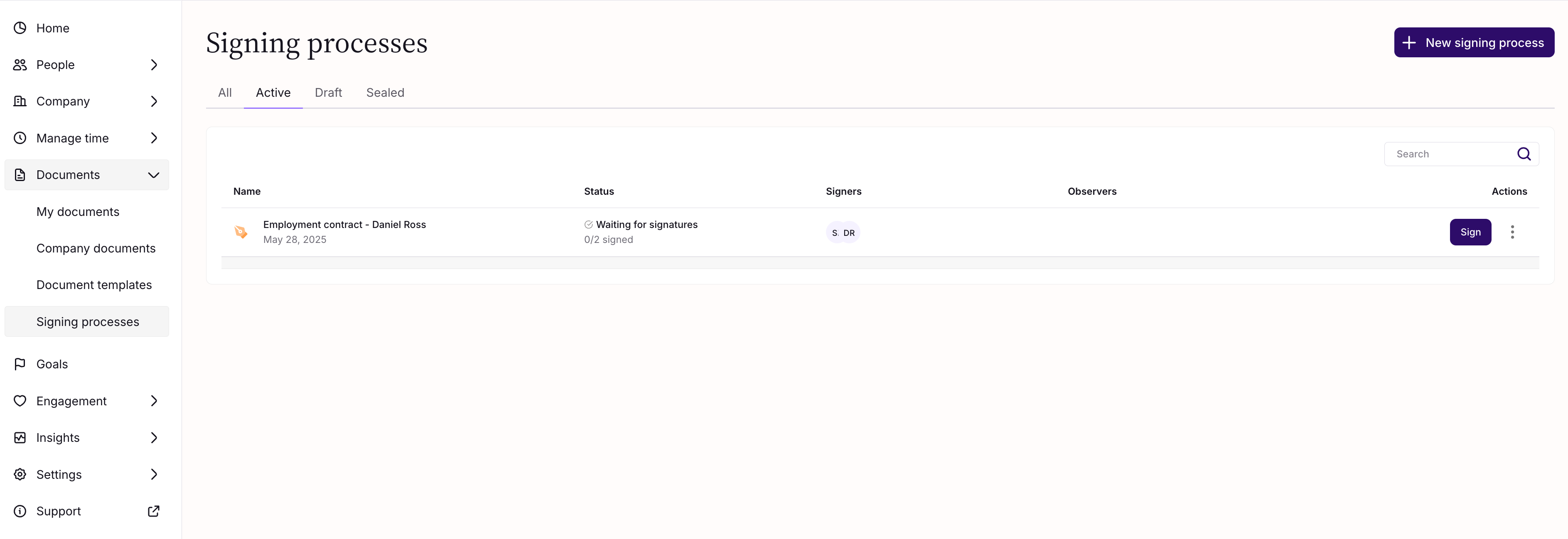
If you cannot find the email, you can also access the document by navigating to Documents → Signing processes in Simployer One.
After the document is signed
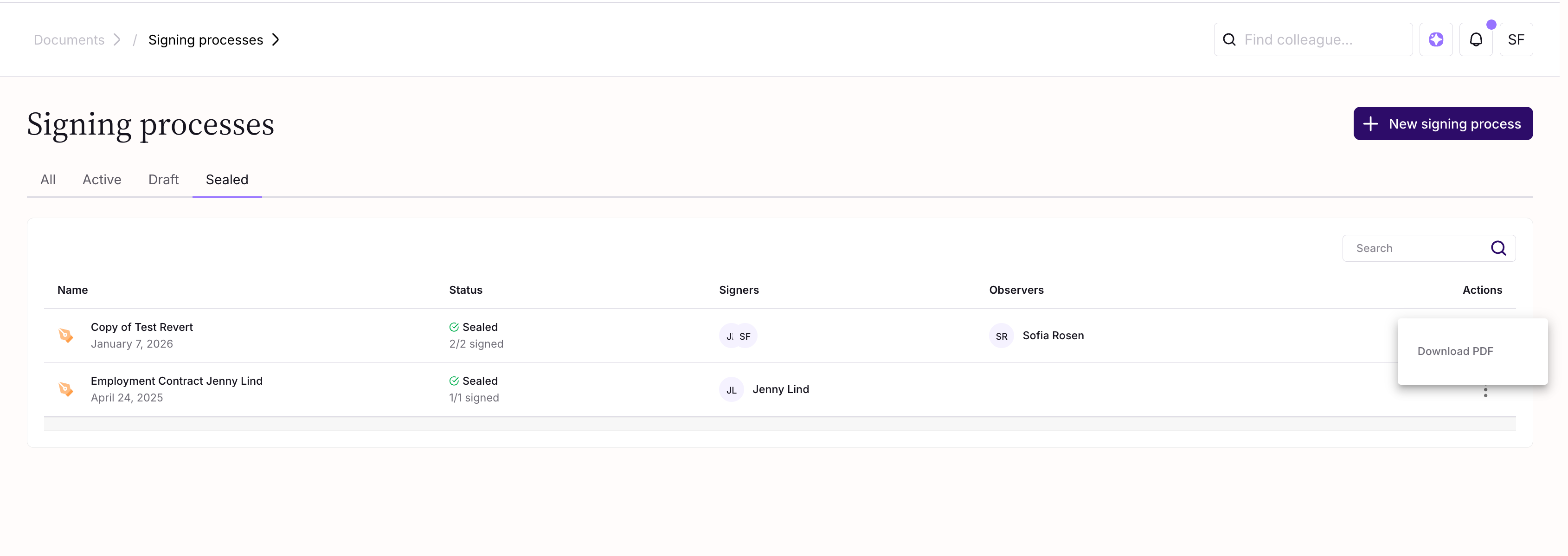
Once all required signers have submitted their signatures, the signing process is marked as Sealed.
At this stage:
The document can be downloaded as a PDF
The signed document will appear under My documents or Shared documents, depending on your role in the signing process
Was this article helpful?
That’s Great!
Thank you for your feedback
Sorry! We couldn't be helpful
Thank you for your feedback
Feedback sent
We appreciate your effort and will try to fix the article