If you select another department as a cost bearer in a travel claim or expense claim, but it automatically changes back to your own department, the most common cause is a system setting.
Cause
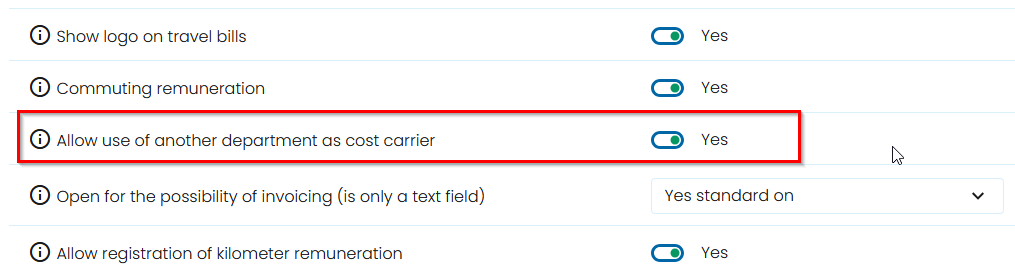
The setting Allow the use of another department as a cost bearer is set to No.
When this setting is disabled, employees can only select their own department as the cost bearer.
Solution
Navigate to:
System Settings → Travel and Expenses
Locate the setting:
Allow the use of another department as a cost bearer
- Check the current value:
- Yes – Employees can select another department as the cost bearer.
- No – Employees can only use their own department.
- Change the setting to Yes if employees should be allowed to use departments other than their own.
Result
After changing the setting, employees will be able to select another department as the cost bearer when registering travel claims and expense claims.
Note: This setting applies to all users of the Travel and Expenses module.
Was this article helpful?
That’s Great!
Thank you for your feedback
Sorry! We couldn't be helpful
Thank you for your feedback
Feedback sent
We appreciate your effort and will try to fix the article