Copy a process template
Administrators have access to copy a process template. This is useful if you want to keep the original template unchanged while creating a new one, or if you need multiple variations of the same template.
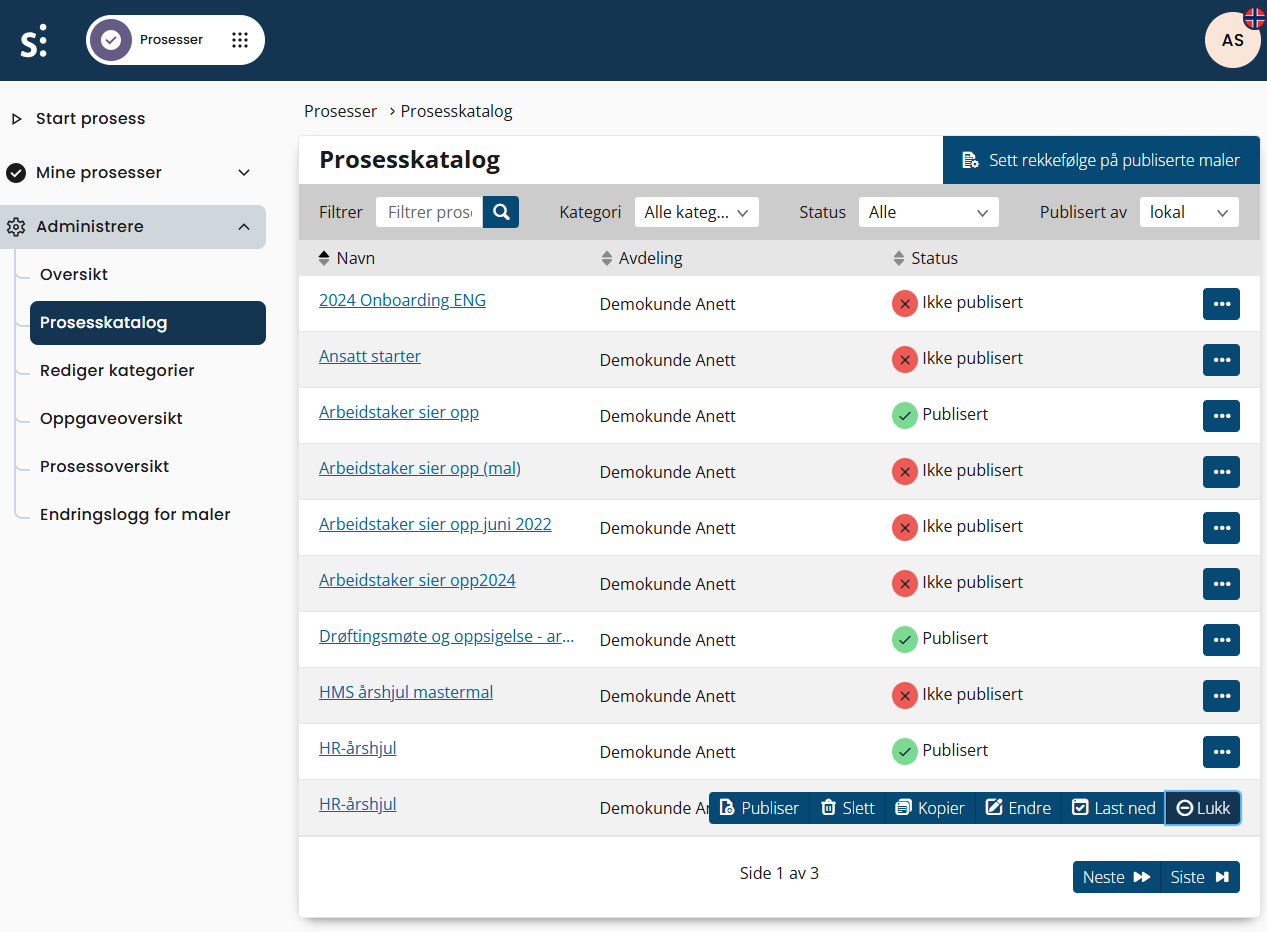
To copy a template, go to the process catalog and locate the template you want to copy.
Click the action button on the far right and select Copy.
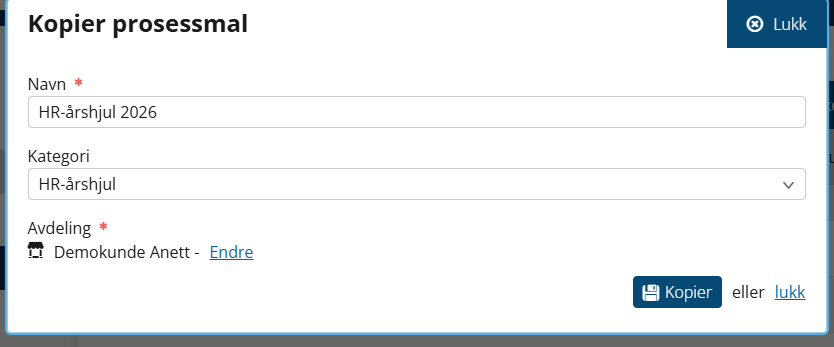
A dialog window will open where you must enter the name of the new process. All process template names must be unique.
Select which part of the organization the process should apply to.
Once this is done, you can edit the process template and tailor it to your needs.
Her you can read more about processes and watch videos (only in Swedish)
Was this article helpful?
That’s Great!
Thank you for your feedback
Sorry! We couldn't be helpful
Thank you for your feedback
Feedback sent
We appreciate your effort and will try to fix the article