Export in Hogia Lön Plus format
The employee export is made from People → Export/Import → Hogia Lön Plus .
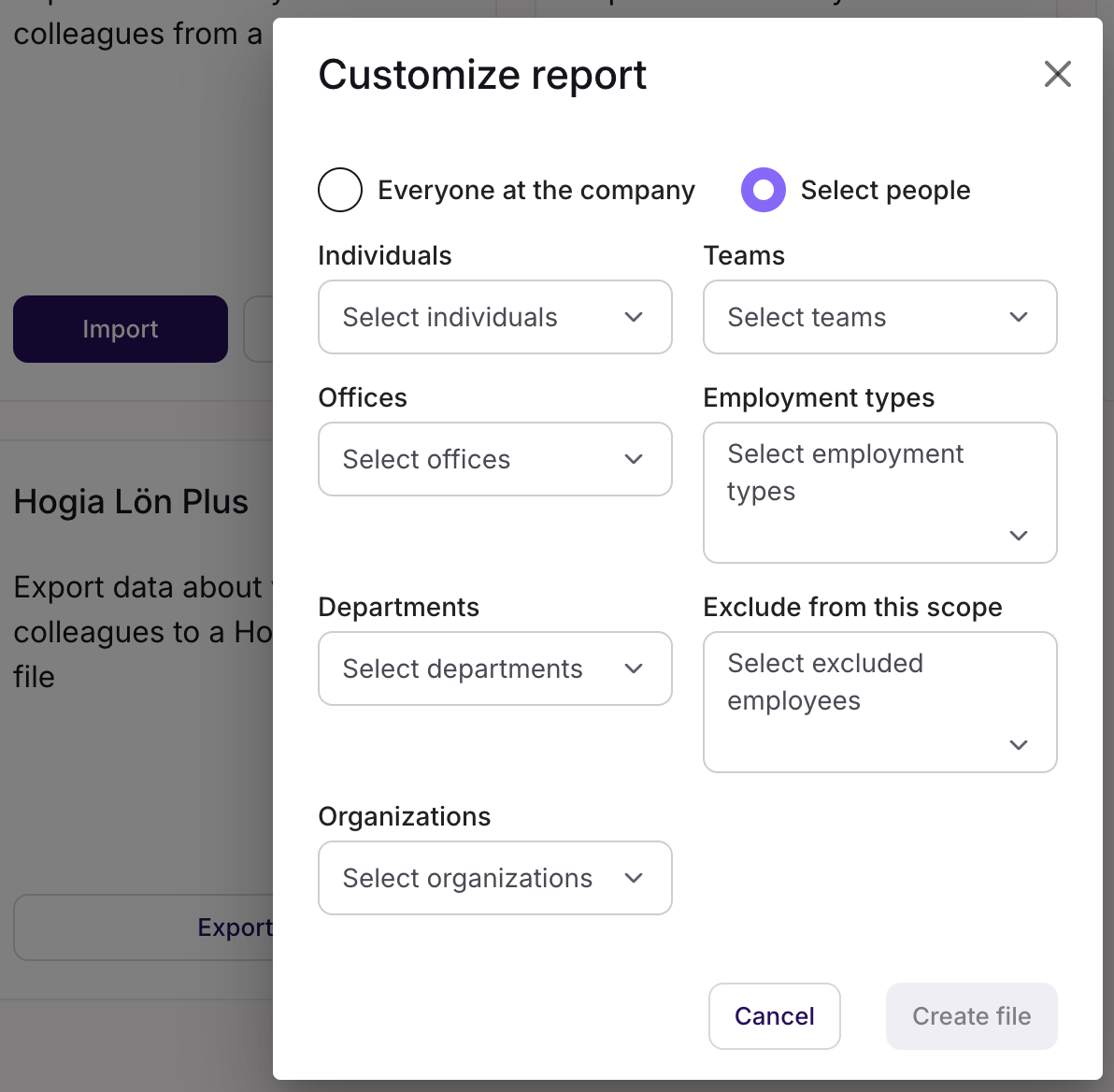
When exporting you are given the choice to export all active employees or to customize the report to only filter out a subset of employees based on:
- Individuals
- Teams
- Offices
- Employment types
- Departments
- Organizations
The file will then download and you can from then refer to the documentation for your specific payroll system on how to import the file.
Note: If Hogia is not available as an option, make sure you have configured the integration from Settings → Integrations → Add integration → Hogia (read more in this article on how to configure integrations)

Data that is exported
The following data is present in the export file in a valid Hogia Lön Plus format (see example below).
Note :
- If a field is EMPTY in Simployer One the default behaviour will be that it is NOT sent in the file. You can change this from Settings -> Integrations, and thus send empty values that then will override/blank out that data in Hogia Lön Plus.
- Consultants are excluded from the employee export.
Simployer One Field | Hogia Field | Example |
Employee number* (see below for exception) | AnstNr | 12 |
Date for the current compensation startdate | HistorikDatumTid | 2023-01-01 |
firstName + lastName | Namn | John Doe |
Social security number | Personnummer | 12345678-1234 |
firstName | Förnamn | John |
lastName | Efternamn | Doe |
Home address - Street name | Utdelningsadress | Vävarstigen 124 |
Home address - Zip code | Postnummer | 11157 |
Home address - City | Postadress | Nyköping |
Work phone | Telefonnummer | 073-6823609 |
Home address - Country | Land | Sweden |
Private phone | Telefonnummer_2 | “” |
Work email | E_mail | |
Monthly salary: the salary as registered in Simployer One × the employment rate (monthly employed) | Personligt_lönefält_1 (default, can be changed under Export settings). Only included if the pay period is monthly | 20000 (40000 registered in Simployer One with an employment rate at 50%) |
Full-time monthly salary: the salary as registered in Simployer One (monthly employed) | Personligt_lönefält_2 (default, can be changed under Export settings). Only included if the pay period is monthly | 40000. |
Current Actual Compensation (Hourly employed) | Personligt_lönefält_3 (Will only be included If the employee payperiod is hourly ) | 150 |
Actual hours per week | Personligt_lönefält_8 | We use the RATE of employment and then multiply with 40. |
Full time week hours | Personligt_lönefält_9 | 40 |
Clearingnumber - Bank account | Bankkontonummer | 1234-5678910 |
Clearingnumber | Clearingnummer_ISO | 1234 |
Bank account | Bankkontonummer_ISO | 567890 |
CFAR number (from Office) | CFARnummer | 12345678 |
Workplace number SCB (from Office) | Arbetsställenummer | 123 |
Workplace number SNI (from Office) | Arbetsplatsnummer | 1 |
costcentercode | Resultatenhet_1 | 124 |
Hire date | Anställningsdatum | 2023-01-01 |
Tax Table | Skattetabell | 30 |
Tax column | SkatteKolumn | 1 |
Offboarded date/End date | Avgångsdatum | 2024-02-29, "0" if no end date is registered |
Century (19 for 19XX, 20 for 20XX | SekelPersnr | 19 |
Emergency contact name | AnhörigNamn | First record of the Emergency contact in Simployer One |
Emergency contact phone | AnhörigTel1 | First record of the Emergency contact in Simployer One |
Vacation days | Semesterrätt | Number of earned days from the current vacation policy |
*Salary codes P4–P25: Personligt_lönefält_4–25
If an employee has an active additional compensation with a salary code from the list below, its amount is added to the file in the matching field: salary code PX → Personligt_lönefält_X.
Example: an additional compensation with salary code P6 and amount 1500 gives Personligt_lönefält_6=1500.
- Supported salary codes: P4, P5, P6, P7, P11, P12 and P13–P25.
- Not supported: P1, P2, P3, P8 and P9 (these fields are filled from the salary and the employment) and P10 (a text field in Hogia).
- Exact match: the salary code must be written exactly as above, with a capital P and no leading zero. p6 or P06 are ignored.
- Active today: only additional compensations that are active on the day of the export are included.
- One per code: if an employee has more than one active additional compensation with the same salary code, the export stops with an error, so the duplicate has to be corrected first.
- P12: divided by 100 by default (see Export settings).
- Empty fields: with "Send empty fields" turned on, fields 7 and 12 are sent empty when the employee has no P7/P12 compensation. Other salary codes are only sent when the employee has them, so manually maintained values in Hogia are not blanked out.
The Personligt_lönefält fields are written to the file in number order.
Example output in valid format
- Filhuvud
- Typ="Anställda"
- SkapadAv="AlexisHR to HogiaLön Plus"
- DatumTid="2024-03-05 09:52:29"
- Pstart
- Typ="Anställda"
- AnstNr=107
- HistorikDatumTid="2024-03-01"
- Namn="Rob Banks"
- Personnummer="19940506-9296"
- Förnamn="Rob"
- Efternamn="Banks"
- Utdelningsadress="Hargebadsvägen"
- Postnummer="871 31"
- Postadress="Härnösand"
- Telefonnummer="+46709123455"
- Land="SE"
- Telefonnummer_2="+4670123111"
- E_mail="1devtest@alexishr.com"
- Personligt_lönefält_1=15000
- Personligt_lönefält_2=15000
- Personligt_lönefält_8=40
- Personligt_lönefält_9=40
- Bankkontonummer="1234-56789012345"
- Clearingnummer_ISO="1234"
- Bankkontonummer_ISO="56789012345"
- Resultatenhet_1="2"
- CFARnummer=""
- Arbetsställenummer=""
- Arbetsplatsnummer=""
- Anställningsdatum="2022-09-28"
- Skattetabell=30
- SkatteKolumn=1
- Avgångsdatum="0"
- SekelPersnr="19"
- AnhörigNamn="Lisen"
- AnhörigTel1="+4670123456789"
- Semesterrätt="30"
- Pslut
Was this article helpful?
That’s Great!
Thank you for your feedback
Sorry! We couldn't be helpful
Thank you for your feedback
Feedback sent
We appreciate your effort and will try to fix the article