Questions about invoices or subscriptions?
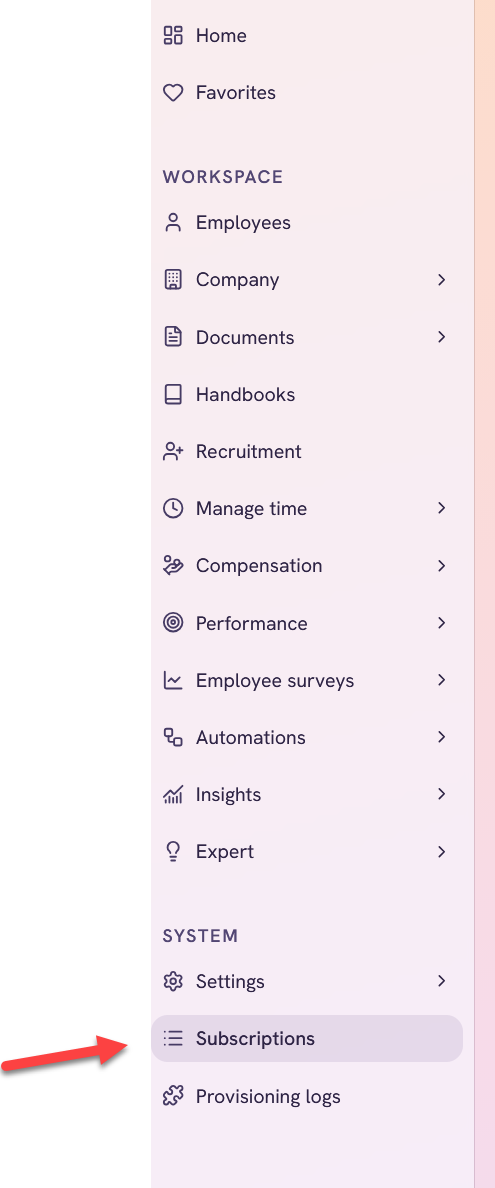
To see invoices and subscriptions, click on Subscriptions in the System section.
Only users with the role Owner can see this section.
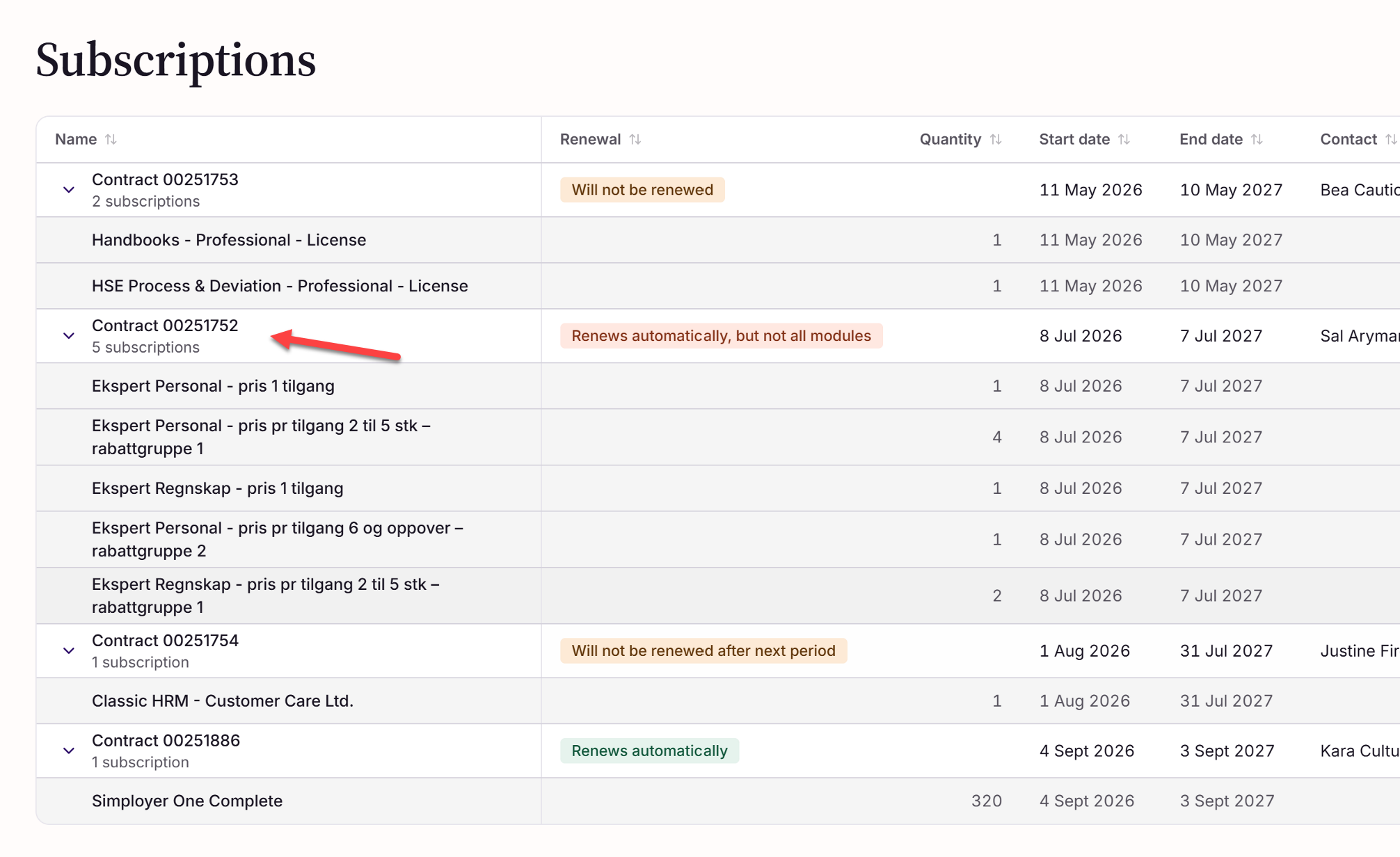
By clicking on the contract you can get more information on that particular subscription.
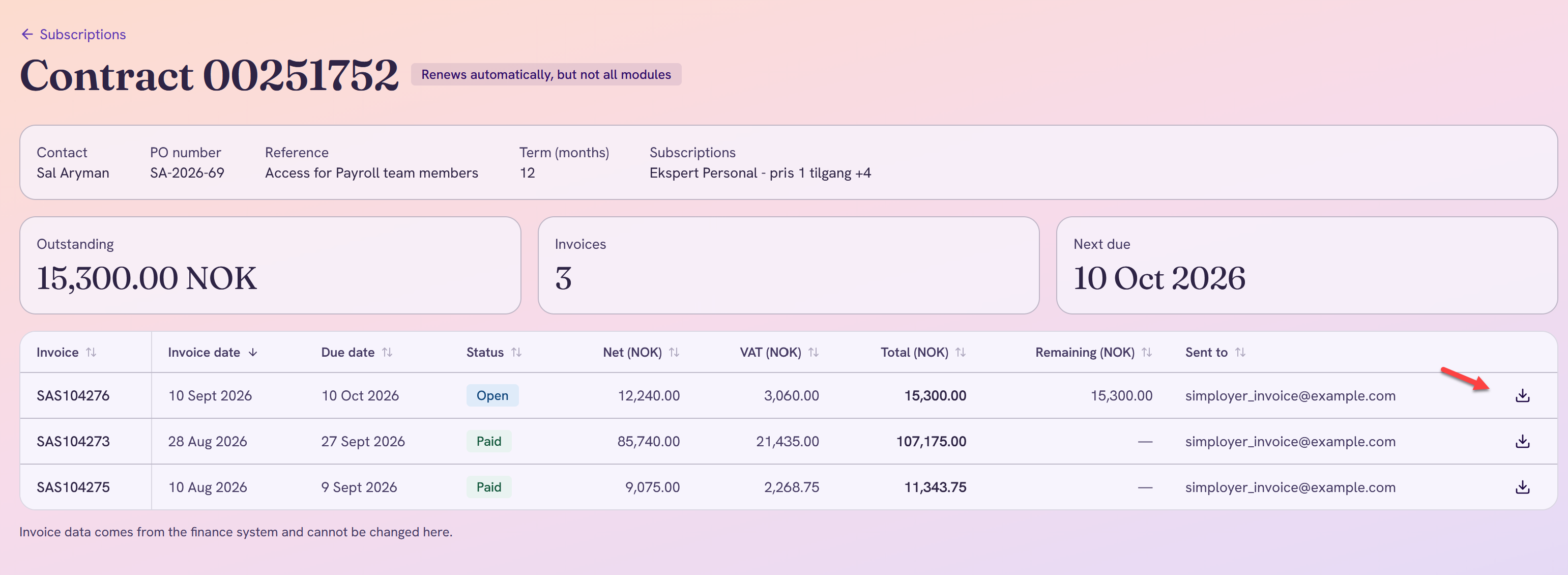
And you can also download the invoice as a pdf by clicking on the download icon on the subscription line
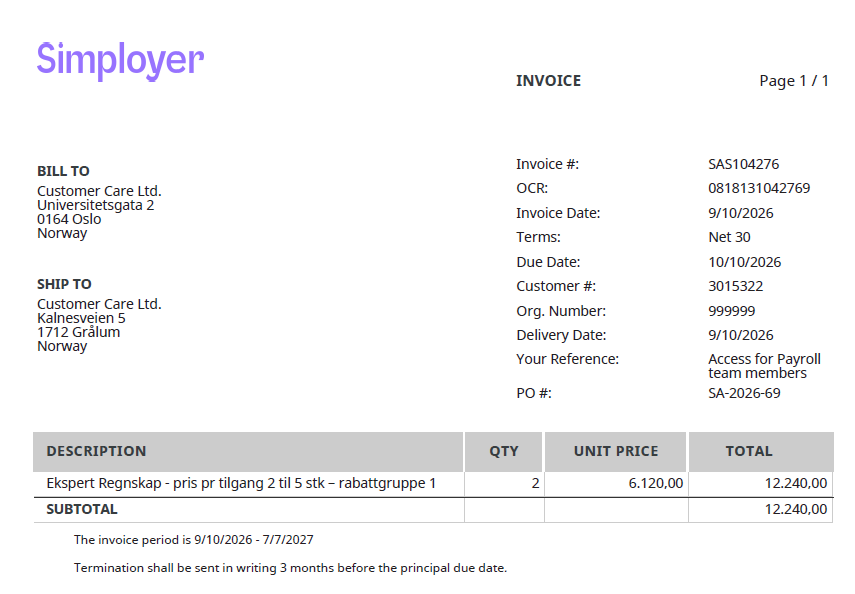
How to see billing address and other details about the invoice
If you need to see more details about the invoices, you can do that by clicking on the download icon above. It will then be saved as a pdf file in the Downloads folder on your computer, and you can click on it in order to see the more exact details related to the particular invoice, like for example the address to which the invoice was sent.
If you have further questions about your Simployer One invoice that are not answered by the subscription page, please contact Simployer Support.
Was this article helpful?
That’s Great!
Thank you for your feedback
Sorry! We couldn't be helpful
Thank you for your feedback
Feedback sent
We appreciate your effort and will try to fix the article