In Simployer Classic, employees can register a self-register in the portal. Employees must have access to the sick leave module to be able to do this.
How to do it:
Click on About me – My info- Abstence:Sickleave overview
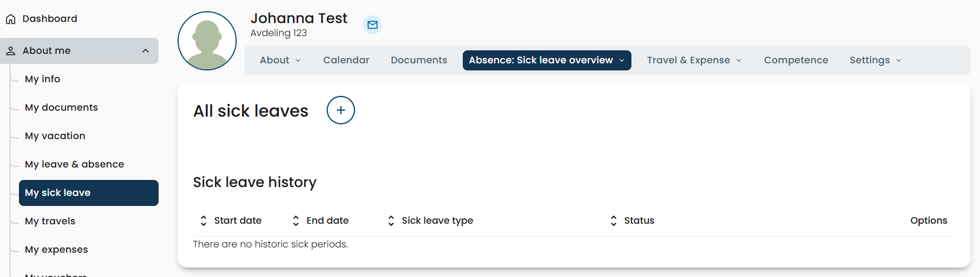
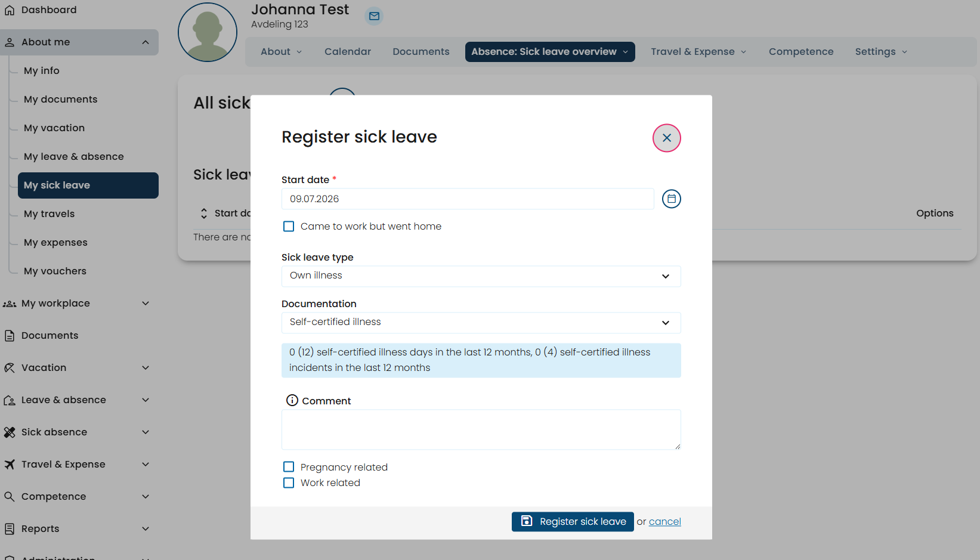
Then click the round plus button, select self-certified illness in the drop-down menu and press Register sick leave.
Was this article helpful?
That’s Great!
Thank you for your feedback
Sorry! We couldn't be helpful
Thank you for your feedback
Feedback sent
We appreciate your effort and will try to fix the article